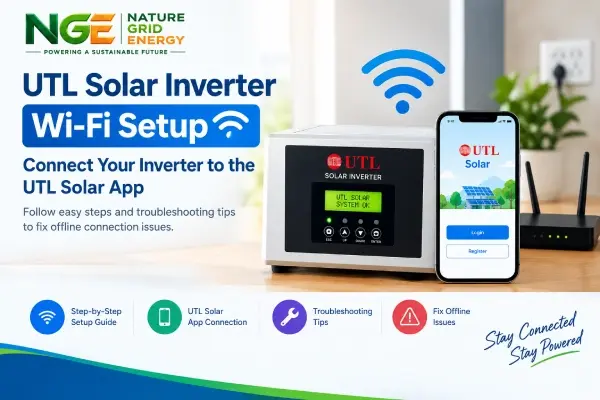
Your UTL inverter is working, but the app shows nothing. That’s more common than you’d think, and it doesn’t mean anything is wrong with the system. The inverter keeps producing power either way. What you lose is the view: daily units, early warning when something drops, and an easy way for your installer to help you remotely.
We’re a solar company in Lucknow and when we finish a rooftop solar installation in Lucknow, getting monitoring online is part of the handover. We also help owners of older systems who never got their app working. Here’s how we go about it.
What to have ready
The inverter should be on and running normally. Have your 2.4 GHz Wi-Fi name and password ready, along with the UTL Solar app on your phone. Please confirm the exact app name on the Play Store or App Store for your model, and check whether your inverter uses a plug-in Wi-Fi module or has it built in.
The steps
Look at the inverter’s display first, to make sure it isn’t showing a fault. Then find the serial number or QR code on the Wi-Fi module and take a photo of it.
Open the app and create an account. Add a new plant or device and scan the QR code. After that, join the module’s own Wi-Fi from your phone settings, and return to the app. Choose your home Wi-Fi, enter the password carefully and wait a few minutes. When the module’s status light turns steady, your inverter should show up with live data.
When it won’t connect
Nine times out of ten it’s one of these. Your router may be on 5 GHz, so switch on 2.4 GHz. The signal may be too weak where the inverter is mounted, so move the router closer or add an extender. Unplugging the module for a minute and putting it back often clears a stuck connection. And if you changed your Wi-Fi password recently, the module simply needs the new one. For persistent issues, professional solar panel maintenance in Lucknow can help identify connectivity and system-related problems.
Quick answers
Will the inverter stop if Wi-Fi is off? No, only the monitoring stops.
Can my installer see my system? If you share access with us, yes, and it makes support much faster.
Need a hand in Lucknow? Call Nature Grid Energy on +91 97920 23123 or visit naturegridenergy.com.